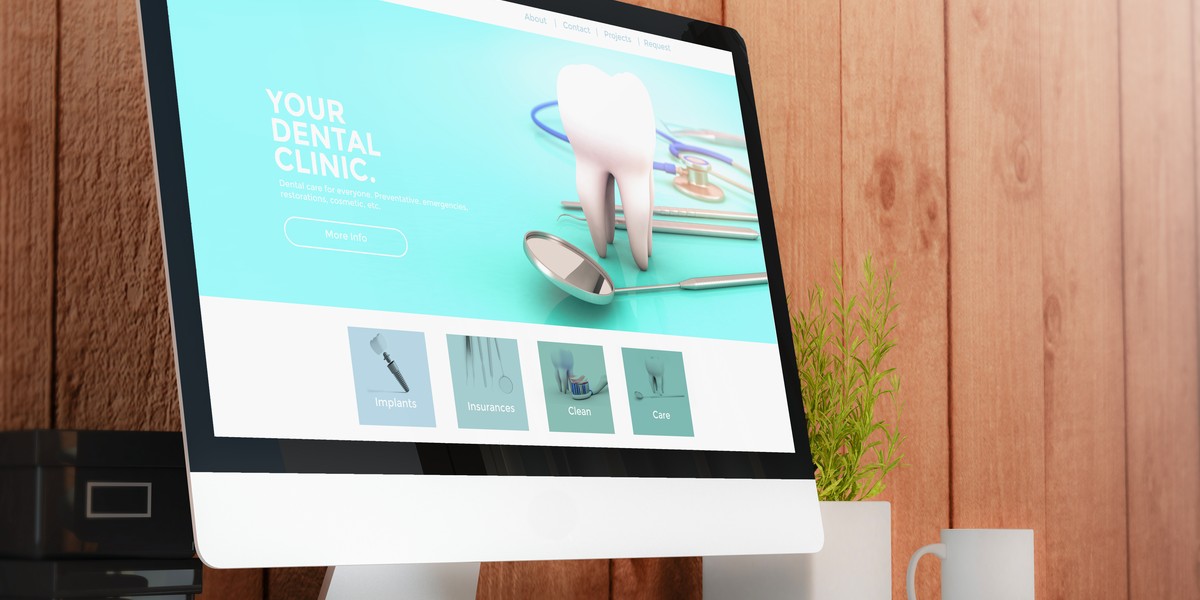

Most dentist websites look fine at first glance. They have the right colours, a smiling team photo, and a list of services. Yet many still fail where it matters most, turning visitors into actual patients.
People visit dental websites for a number of reasons, including learning about treatments, comparing their local practices, or if they need to make an urgent appointment. If the information they need is unclear, or they cannot find it quickly, feel confident in the practice, or book an appointment without hassle, they will simply leave and click on a competitor’s website.
There are a few common reasons why dentist websites fail. Once these issues are identified and fixed, your website actually helps you get the enquiries you need to grow your practice, rather than just sitting online and looking nice.
Not being mobile-friendly
A large number of potential patients visit dental websites on their mobile phones. They might be searching whilst travelling, at work, or if an emergency suddenly strikes and they need to find a dentist quickly.
If a website is not designed to work well on a mobile screen, it is difficult to use, with issues like text being too small, buttons being hard to tap, and pages not fitting properly on the screen. This creates frustration and often makes people leave the site within seconds.
A mobile-friendly website adjusts automatically to different screen sizes, keeping text readable, buttons easy to interact with, and making sure that important information is easy to find without having to zoom or scroll too much. When a site works well on mobile devices, visitors are more likely to stay on it longer and take the next step, such as booking an appointment online or calling.
Missing or complicated booking process
Some dental websites might lose potential patients because the information they need to book an appointment is not clear, or the process is slow.
Some sites do not offer online booking at all, so visitors need to call during practice opening hours, whilst others have long, confusing booking forms that ask for too much information upfront. In some instances, it is not obvious where to click to make an appointment.
When the process takes too many steps, people often give up and look for another practice that is easier to contact, especially if they are in pain and need to arrange an emergency appointment quickly.
A clear booking process should be simple to find, easy to complete, and require only the essential details. The fewer barriers there are, the more likely a visitor is to follow through and book.
Weak branding
Many dentist websites look generic and do not clearly show what makes the practice different, making it harder for visitors to remember the site or feel confident choosing that practice over others.
Weak branding often shows up as inconsistent colours, unclear messaging, or stock images that do not reflect the real team or practice environment.
Strong branding helps people quickly understand who you are, what you stand for, and who you can help. It creates a consistent look and feel across the website, from colour and images to tone of voice. Clear and simple messaging is also important, as it makes it easy for visitors to recognise the value of the practice.
Poor SEO
Search engine optimisation is really important, as it is what helps people find your website when they search for a dentist online. If SEO is weak, the website may not appear in search results or be buried too far down for people to see.
This happens when pages do not include the right keywords to describe the services you offer and the location of your practice. It can also be caused by missing page titles, unclear headings, or slow loading times. Without the basics for SEO in place, search engines struggle to understand what the website is about.
Improving SEO makes it easier for the right people to find your website at the right time. When your site appears higher in search results, it can bring in more visitors who are already looking for your services.
Poor user experience
User experience refers to how easy it is for someone to use your website. If a site is confusing or slow, or people struggle to find key information like services, prices, or contact details, they are more likely to leave in frustration, and without taking any action.
Common UX issues include busy layouts, unclear navigation, and having too much text on one page. In addition, pages that don’t load quickly can frustrate users, especially those using a mobile device.
A good user experience keeps things simple and clear, with easy-to-find information and fast-loading pages. The site’s layout should naturally guide visitors towards important actions like booking an appointment or getting in touch.
When a website is easy to use, visitors are more likely to stay longer, feel confident that the practice will be able to help them, and take that all-important next step.

Technical problems
Technical issues may not be obvious, but they can quietly affect how well a dental website performs. Even if the design looks good, problems behind the scenes can make the site slow, unstable, or difficult to use.
One key area is Core Web Vitals, a set of measures that focus on page loading speed, how quickly the page becomes interactive, and how stable the layout is as the page loads. These are used by search engines to assess how a website performs for users so, if they are poor, the page is less likely to be shown in search engine results.
Other common technical problems include broken links, pages that do not load properly, or errors on mobile devices, all of which can reduce trust and make it harder for visitors to convert.
Keeping the website technically sound helps ensure it runs smoothly for all users. When a page loads quickly and behaves as expected, visitors are more likely to stay on the site and move forward with booking or contacting the practice.
How to identify problems
The first step is to look at the website from a visitor’s point of view. Try using it on both a phone and a desktop, checking how easy it is to find key information, how quickly pages load, and how simple it is to book an appointment or get in touch.
It can also help to ask others to review the site. A fresh set of eyes may help spot issues that are easy to miss, such as unclear wording or confusing navigation.
Website data is another useful source of insight that can highlight areas that need improvement. Tools like Google Analytics and Google Search Console can show how visitors use the site, where they drop off, and whether the site is appearing in search results.
Running basic performance checks is also important. Tools like Google PageSpeed Insights can help identify slow-loading pages and technical issues that affect user experience.
By combining simple checks, feedback, and data, it becomes far easier to spot problems and work out what needs improving first.
Working with professionals to fix the problems
Fixing website issues often requires a mixture of skills, like design, development, and SEO. While some small changes can be handled in-house, more complex problems are usually better managed by experienced professionals.
At Click Finder, our team brings decades of experience across digital marketing, specialising in SEO, web design, systems architecture, and graphic design.
A web designer can improve the layout, branding, and overall user experience. A developer can address technical issues like site speed, mobile performance, and errors. An SEO specialist can help improve visibility in search results by optimising content and structure.
Working with professionals means you get the benefit of their tried and tested approach. They can audit the website, prioritise the most important fixes, and make sure that changes are carried out correctly, reducing the risk of updates causing further problems.
Make your website the best it can possibly be
A dental website should support the practice, reflect its standards, and help turn interest into real enquiries.
Small details like clear structure, reliable performance, and a straightforward journey often make a meaningful difference and really encourage visitors to take the next step. When these details come together, the website becomes a genuine asset to the practice rather than a missed opportunity that simply exists online.
Taking the time to review and improve each area can lead to stronger results over time.
FAQs
When should you consider redesigning a website?
A website should be redesigned when it no longer supports the needs of your practice or the people using it. This can be seen when the layout feels outdated, pages load slowly, or the site is not easy to use on mobile devices. If visitors are not taking action or if key information is hard to find, this is also a sign that your site needs a rethink.
A redesign may also be needed when business goals change or the current site cannot support new services. If updates feel constant but do not improve results, a full rebuild can be a more effective way to improve performance overall.
What content should be included on a dental website?
A dental website should show clear details about the practice, including location, opening hours, and contact details, and explain services in simple language so visitors can quickly see what is available on the site. Showing the team helps build trust, while a short section about the practice can give reassurance. Clear actions, such as booking an appointment, should be easy to find on every page and clearly visible.
It is also helpful to include information patients may need or ask about, such as pricing guidance, FAQs, and what to expect during visits, clearly explained. Reviews or testimonials help build confidence and trust. Strong images and simple navigation improve usability overall.
How can you measure the success of a dental website?
Success can be measured using clear key performance indicators, or KPIs, that show how well the website is achieving its goals. Common KPIs include the number of appointment bookings, phone calls from the website, and completed contact forms. Traffic from search engines is also important, along with conversion rate, which shows how many visitors take action after arriving on the site.
Other useful KPIs include bounce rate, average time on site, and how users move through key pages. Tracking these figures over time helps identify patterns and spot areas that need improvement. Strong performance across these KPIs usually indicates the website is working effectively.